THE TASK
My challenge this week is to use the lessons learned from my lecture on Shading Basics to create a creature/character/object (any of these) showing a shading technique of my choice.
MY IDEAS/INSPIRATION
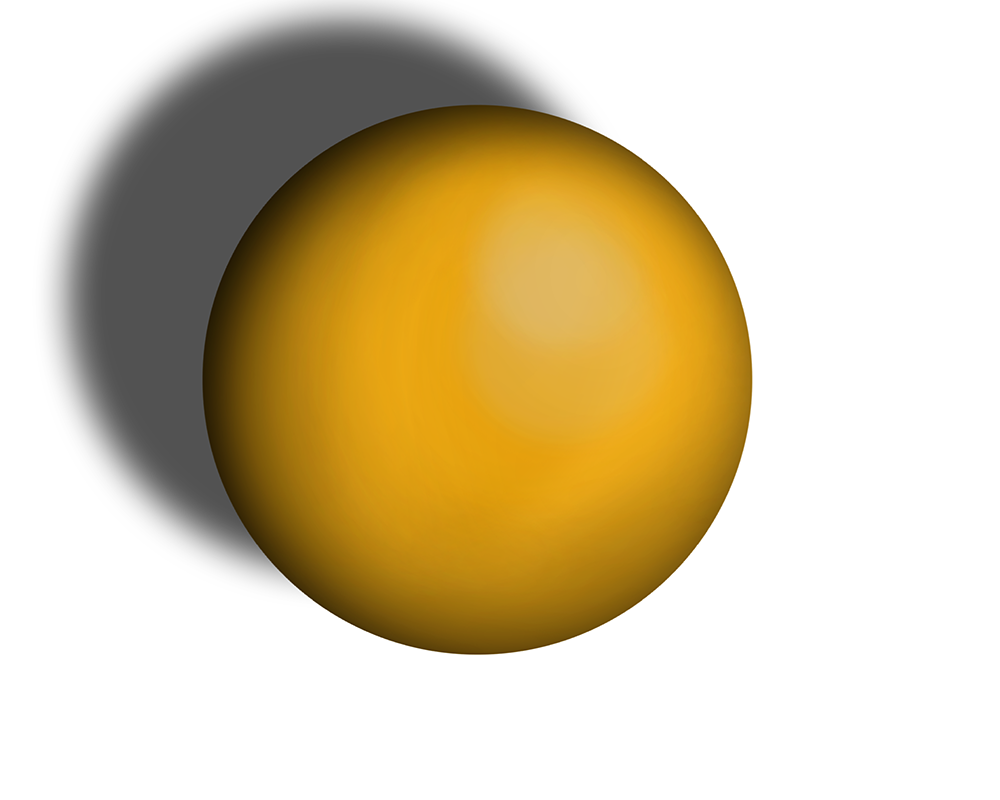
For this weeks task I chose to keep it simple as I had a bit to catch up on but felt like a ball was a really nice object to capture shading on as the curvature of it is constant making it quite hard compared to a block shadow for example.
TECHNIQUES
For this I was able to create a spherical object in Photoshop to start off and chose a bright colour to show off the shading and highlights. Being able to right-click on the layer I was able to select the pixels of the circle and start working my way around the upper left edge with a soft brush with a very low opacity, colour was dark blue/black. Selecting the pixels meant nothing I shaded would appear outside the circle object. Small amounts of shading was applied until the desired look was achieved, followed by the same process with the highlight. To create the drop shadow on the ball I was able to just create a shadow of the object using tools within Photoshop and then a tiny bit of added detail and it was done.
SUMMARY
Very pleased with the outcome however, I feel like looking at it, it could do with more emphasis on the highlight as at the moment it almost has a matte texture to it which I feel a more plastic look was almost what I was trying to achieve. Moving forward spending more time on shading I’m getting used to how things should look. But overall it has the effect I’m looking for and I am definitely able to tell the light direction in comparison to the shadow.