Introduction
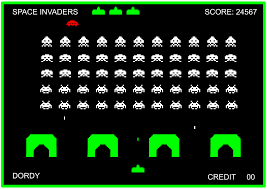
Space Invaders is a retro classic 2D game where the player can control the horizontal movement of the ship as well as firing a laser cannon destroying the Invaders! In this game the enemy will slowly descend to you whilst firing back, the mission is to get them before they get you and get the high score!
Making Kasa-obake
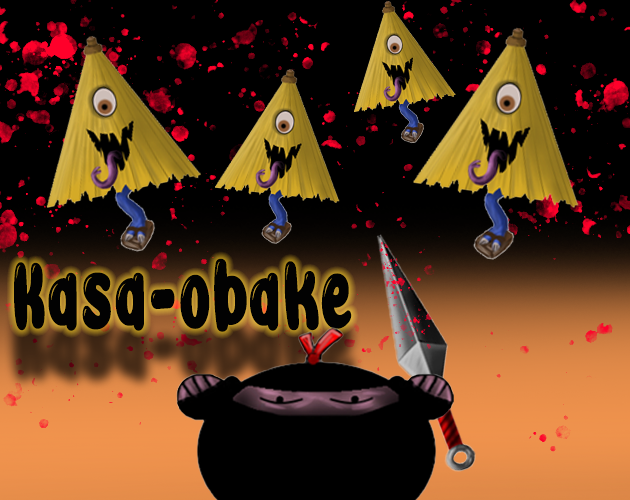
For this game I took some inspiration from Japan and Japanese mythological creatures. I really like the idea of the player being a ninja with his weapon being kunai’s. I tried to keep it a little traditional with the ninja by making sure it was a bit historically accurate with the weapon of choice.
Kasa-obake plays the enemy in this game. This character is taken from Japanese mythology and created to be an evil creature. Even though traditionally these creatures are meant to be friendly, I just loved the creepy look of them and the odd features!
Artwork
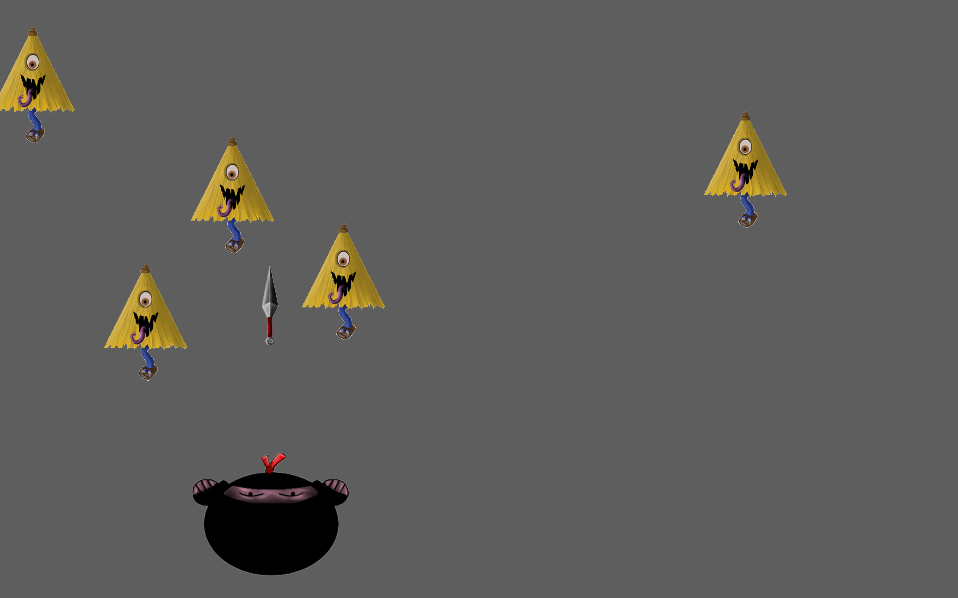
So for this project I spent probably more time than I’d of liked to on the characters themselves. Although I’m more than happy with the outcome of them it gave me very limited time to create a background that would suit the game itself. In future progression of this game I think a lightly animated Japanese village with running streams would fit the mood perfectly.
Scripting
Player Behaviour Script
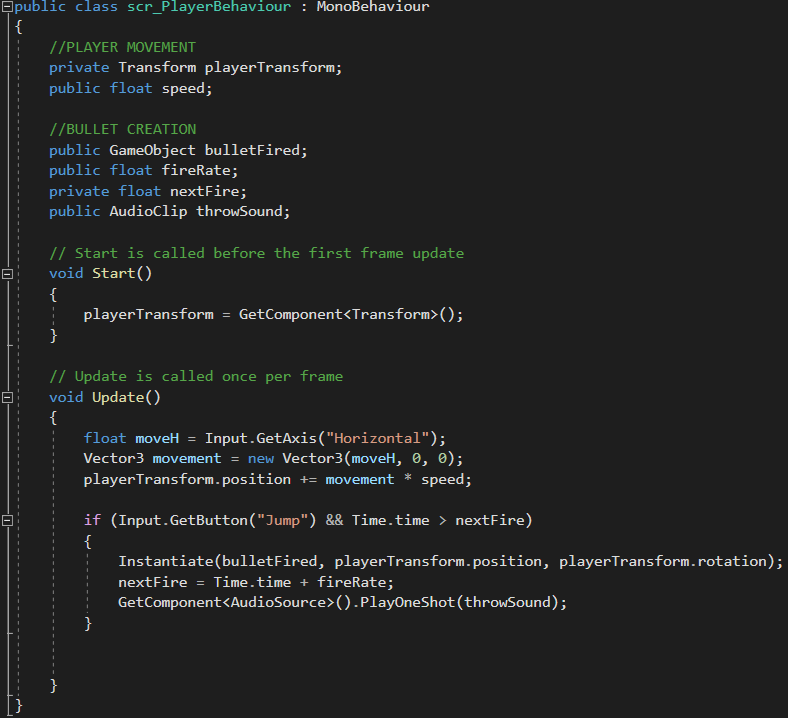
For the player behaviour script it can mainly be broken down into three sections; Player movement, Bullet creation & Audio. For the player movement we wanted to be able to access the Transform component within Unity by referencing it in the script. Lastly, I needed access to the speed of the player which I also wanted to be able to edit it in Unity so I make this a public float.
Upon the start of the game I need to call upon the game to access the Transform component attached to the player by using the ‘GetComponent<>’ feature within Visual Studio.
For the movement of the player the game needs to check each frame whether or not an input has been detected in order to make the player move. I do this by using a function called ‘Input.GetAxis’ followed by which direction of movement I require. Also this gives me the ability to set it to which keys I see fit. So now I have my key bind set up to my horizontal axis I can use the ‘Vector 3’ function to access the position/movement of the player along that axis which is accessed in the line of script following it. By using the players transform position we can alter the position of it and by a speed which seems suitable for play.
Lastly I needed to input a section of script which would spawn the bullet prefab on the input of the spacebar. To do this I used an ‘if’ statement and see if the spacebar input is being applied and if so then to spawn(Instantiate) the bullet prefab from the players position. To add the audio clip of a throwing sound I once again used the ‘GetComponent<>’ feature to access the sound file I placed into the Audio clip earlier in Unity. To make the file play I used the function ‘PlayOneShot(throwSound)’ which was referenced at the beginning of the script.
Bullet Behaviour Script
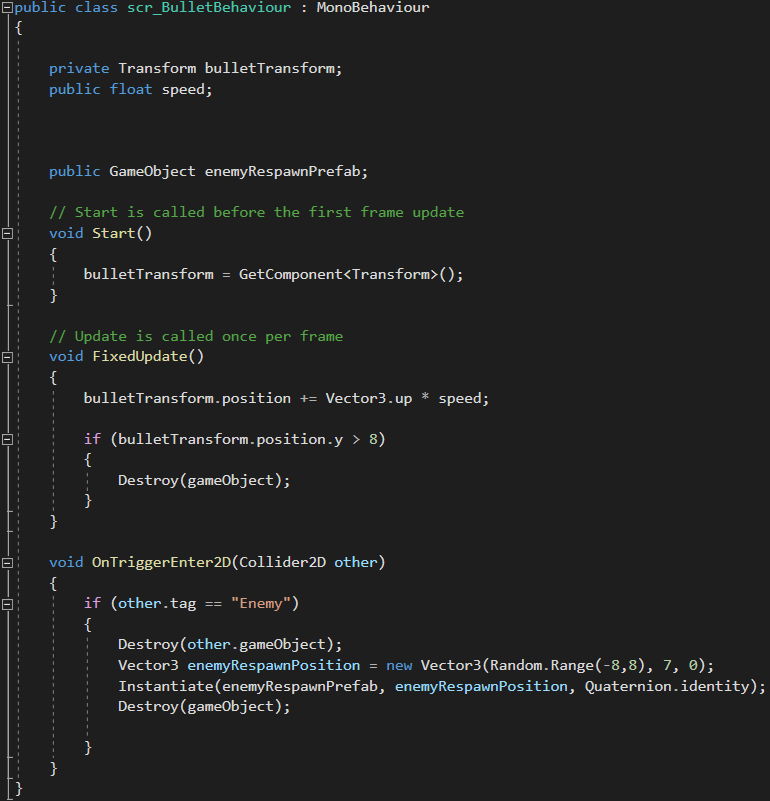
Firstly I inputted a few of variables to access the bullets transform component as well as a public float to access the speed of the bullet prefab. Lastly I just needed access to the game object being the enemy prefab.
Once again when the game starts I want to call upon this transform component to be able to access it later in the script.
I didn’t want the bullet to move with my frame update as depending on what device, storage or many other reasons there may be, it is always changing dependent on those circumstances. So to combat that I used the ‘void FixedUpdate()’ function to make sure the movement in consistent.
To get the bullet to move in an upwards direction I access the transform component of it and add a value of ‘+= Vector3.up * speed;’. This allows me to set a speed I would like for the bullet to move in an upwards direction. As I don’t want the bullet to carry on into eternity I found a suitable point within Unity to set the bullet to be destroyed at away from the main camera view. To do this I used a very simple function ‘Destroy(gameObject);’ within an ‘if’ statement to determine whether the condition has been met.
Within this script I also input the enemy spawn script. To start with I created a Collider2D onto my enemy prefab within Unity. Then, a tag must be created and placed onto that enemy so that I could later reference it in the script. For this case the tag was ‘Enemy’.
To start the scripting I used a function called ‘void OnTriggerEnter(Collider2D other)’. Within this function I can use another ‘if’ statement to detect whether or not the bullet prefab has come into contact with the object tagged ‘Enemy’. If this statement occurs then the following script will begin to run which starts off by destroying the game object. Next I can set a position I would like the enemies to respawn at by saying the ‘enemyRespawnPosition = new Vector3(Random.Range(…’ and then finding suitable boundaries within the horizontal axis in Unity to input in order to make the enemies spawn within that range. Lastly is to spawn the enemies using the ‘Instantiate’ function as well as ‘Quaternion.identity’ which means it corresponds to no rotation upon spawning.
Enemy Behaviour Script
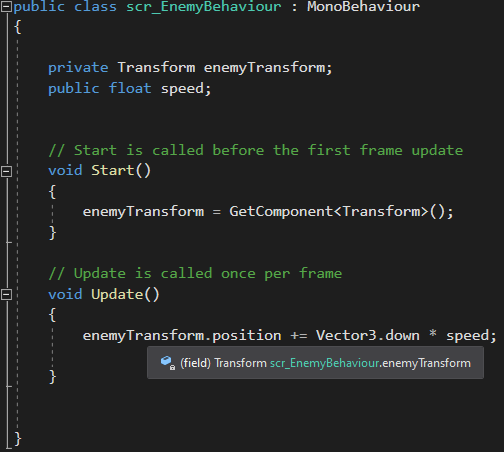
So the enemy behaviour script is the simplest of all three being that I only needed to access the transform position and apply speed to the direction required.
At the start I use the get ‘GetComponent<>’ feature again to access the transform position of the object. Lastly in my void update function I can do as I’ve done before and get the transform position do move down multiplied by the speed given.
Challenges
My main challenges throughout this project I found was time management. I spent too much time focussing on sprites rather than on gameplay and experience which was a huge learning experience to learn how to prioritise other aspects of the game or at least make it more balanced. Other than that, with using new functions it took me a little while to understand what they did and how they were implemented into the gameplay.
How It Could Progress
I think because of the lack of time management in the project its actually given me a lot of areas I would like to improve on and develop the game even further. So far there is no real goal so ultimately I would like to add a score board and a high score. As well as making the game progressively get harder with maybe faster enemies, more enemies or possibly different types of enemies. I would like to work on a small animated background for the back to give it a nice visual effect of movement. Possibly the background could develop as different stages are reached. I like the fundamentals of this game but its in early development with the amount I can potentially do. Future could be strong for Kasa-obake!